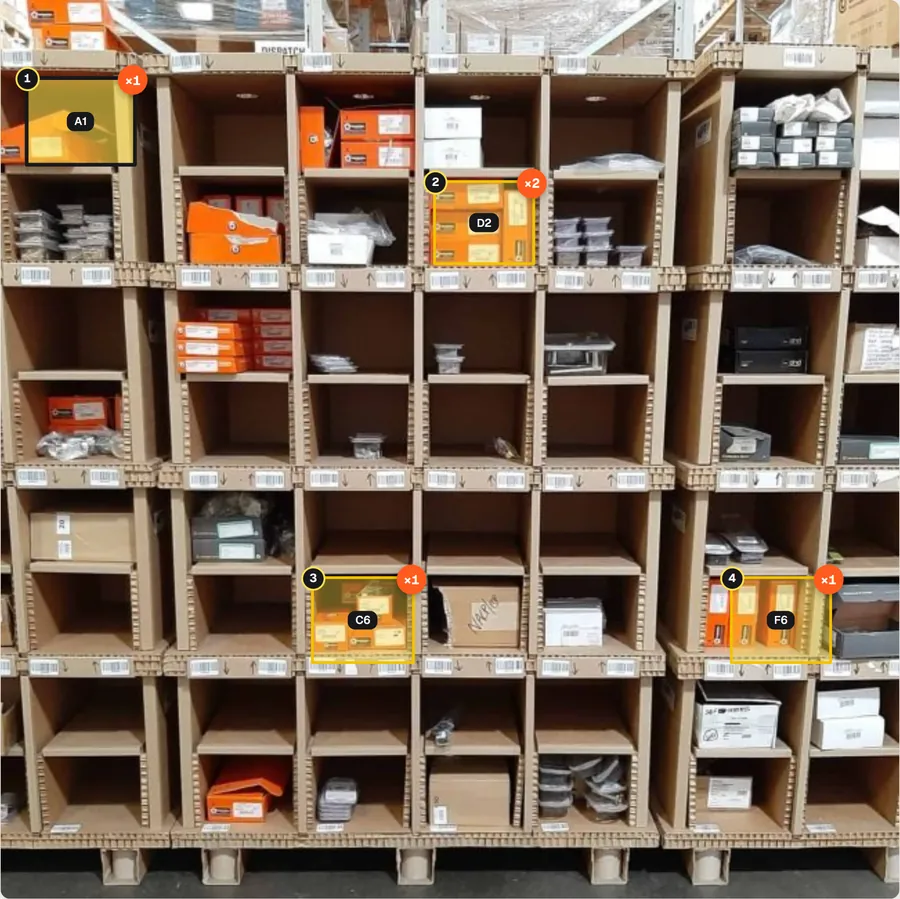
Car parts, small boxed goods
Pigeonhole shelving
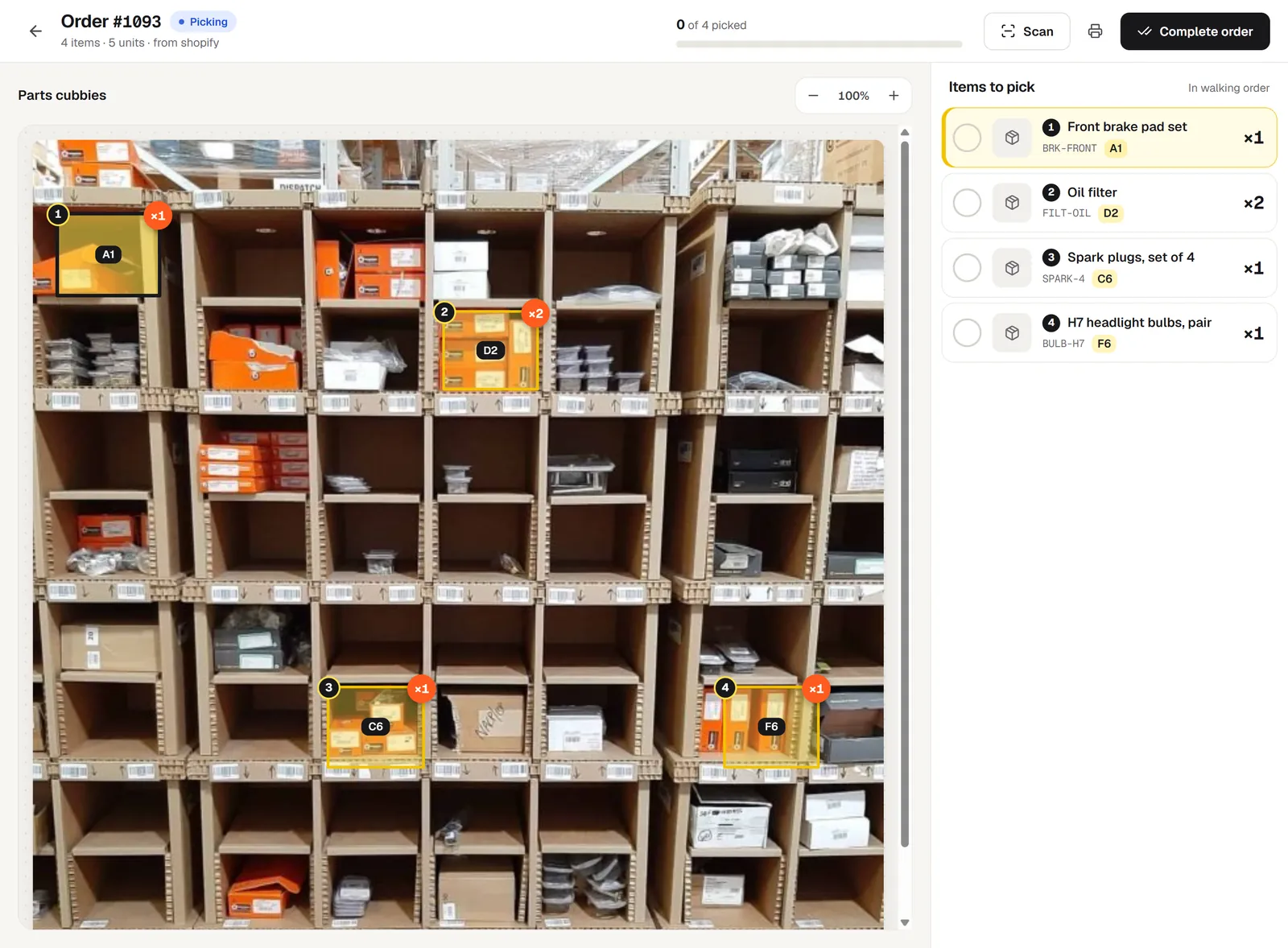
Brake pads, filters, spark plugs and bulbs, one product per cubby. A Shopify order lights up four of 56.
Take a photo of your shelves, drawers or totes. When an order comes in from Shopify, Etsy, eBay, Amazon or any of your stores, pickBlink lights up the exact bins on that photo, numbered in walking order, with how many to grab.
 Real photo
Orders arrive by themselves from
pickBlink is a warehouse picking app for small online shops. Instead of a printed list of SKUs and shelf codes, pickers see a photo of the real shelf with the right bins highlighted, numbered in the order to walk them, and the quantity on top.
It’s made for stockrooms where one to a few people pick and pack: a spare room, a garage, a small unit. No barcodes on every shelf, no setup project, no new hardware.
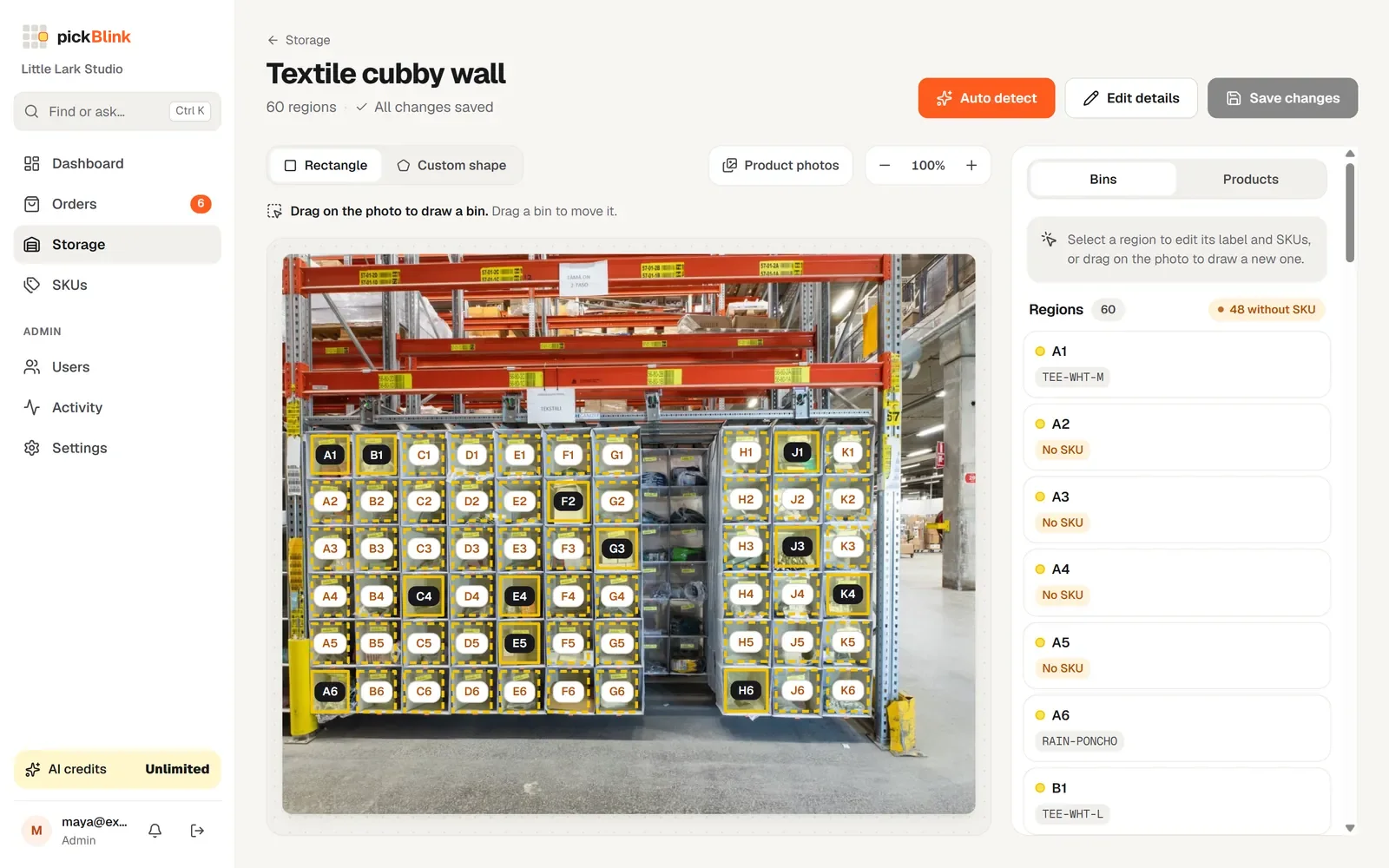
Take a photo of a shelf, rack or wall of drawers. AI finds the bins for you, or draw them yourself, any shape. Each bin gets a short label like A3.
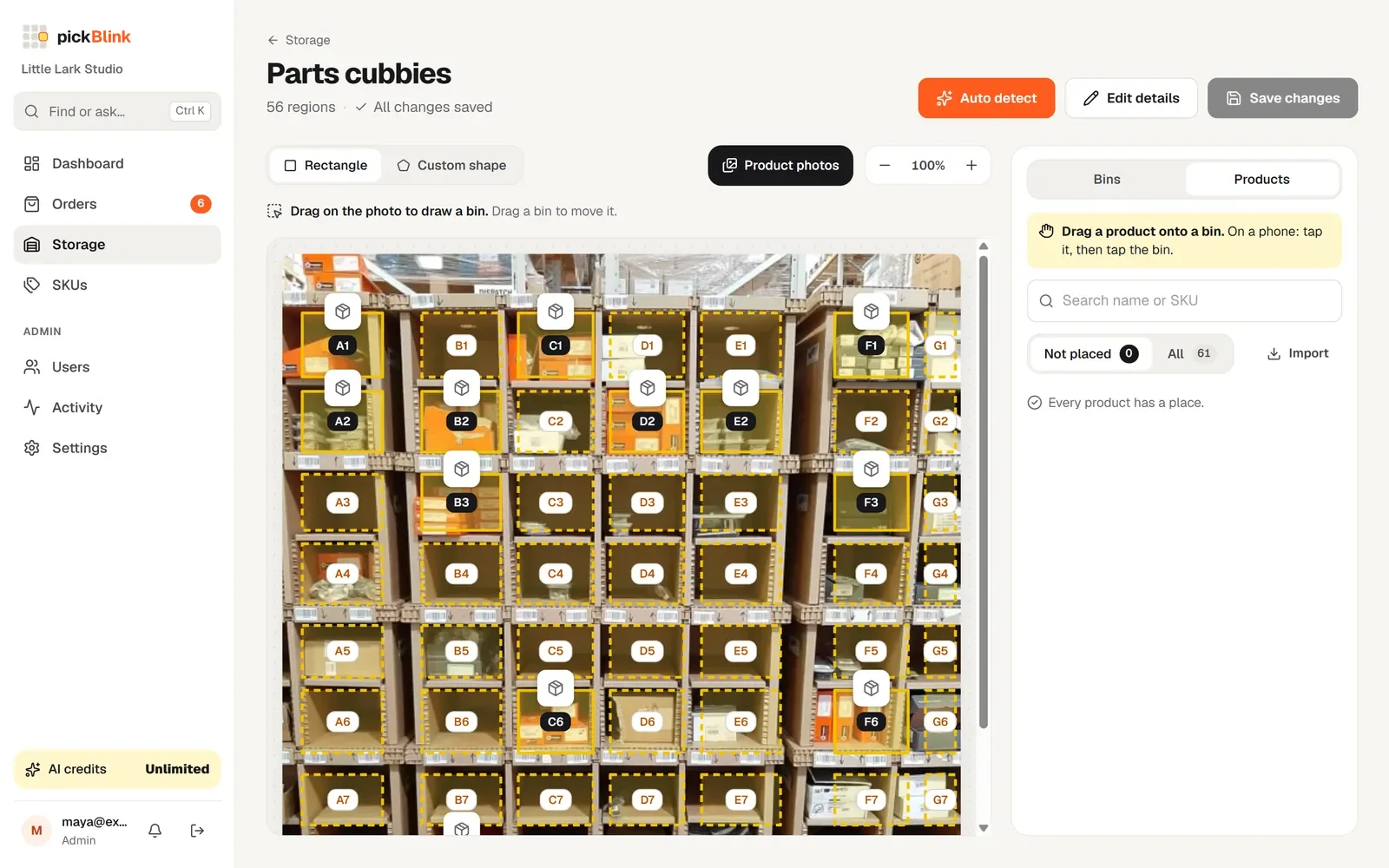
Connect Shopify, WooCommerce, BigCommerce, Etsy, eBay, Amazon or Wix. Your products come in with their photos; drag each one onto its bin.
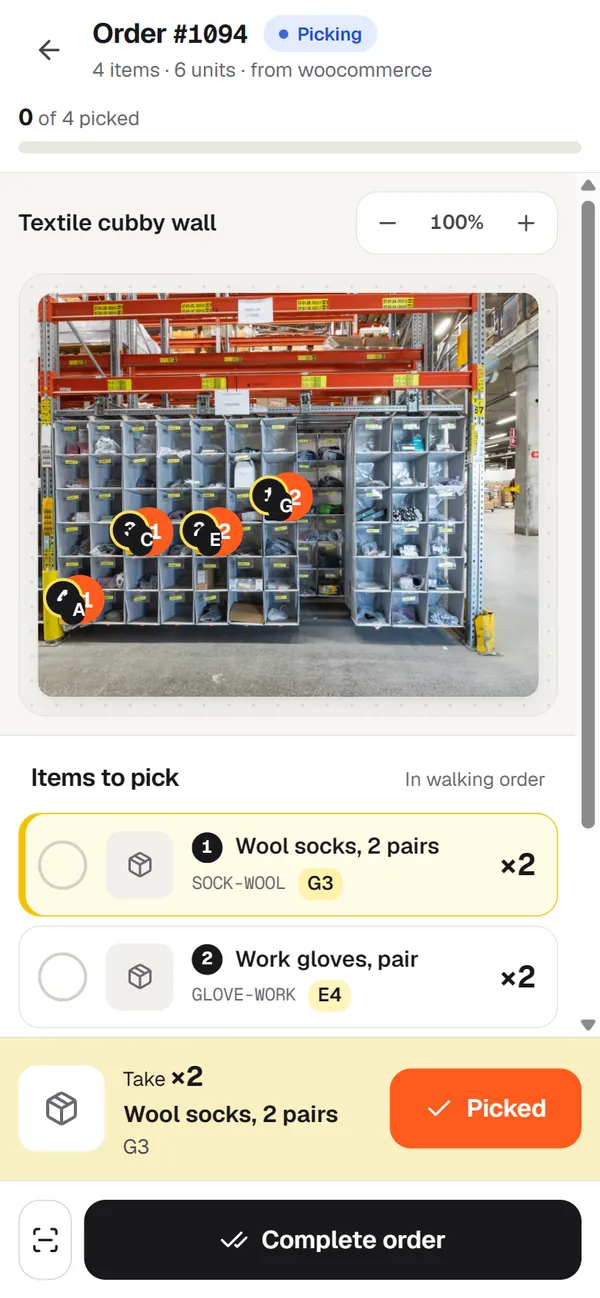
Open an order and its bins light up, numbered in walking order. Tick items off or scan their barcodes, then complete the order.
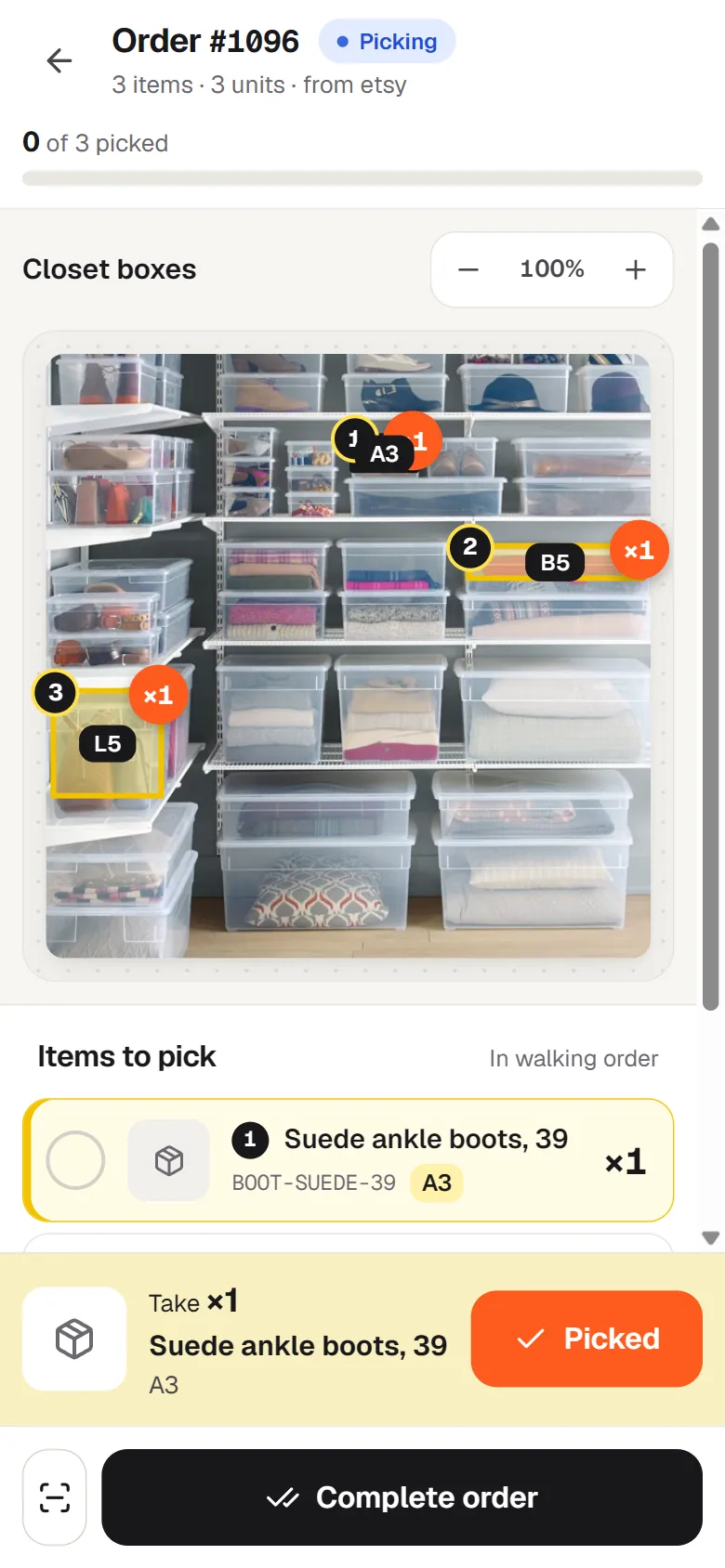
A small boutique keeps its stock in clear boxes on closet shelving. One order comes in for three items. Here’s what happens in pickBlink.
Suede ankle boots, a pink cashmere sweater and a tan leather tote bag.
Fetched from Etsy automatically. The app chimes and the order joins the queue.
A3, B5 and L5 glow on the photo of the closet, numbered in walking order: boots first, then the sweater, then the bag.
Each item is ticked off, or scanned. A wrong barcode is flagged on the spot.
Stock comes off the three boxes, Etsy is told the order shipped, and the packing slip prints.
And nothing it doesn’t. No scanners on every shelf, no setup consultants.
A photo of the real shelf beats a list of codes. Pickers recognise the spot at a glance.
Shopify, WooCommerce, BigCommerce, Etsy, eBay, Amazon and Wix, all in one queue.
Items are sorted along the shelves, so nobody walks back and forth.
Pick several orders in one walk, with a combined list on the same photo.
Scan with the phone camera or any USB or Bluetooth scanner. Wrong item? You’ll know.
Counts go down as orders are completed, and the Dashboard lists bins running low.
Print slips for one order or a whole batch, straight from the browser.
Finds the bins on a photo, suggests where products go and answers “where is…?” questions.
Invite staff to pick and pack; admins keep settings and stores to themselves.
Five real storage setups, each mapped in pickBlink and lit up by an order. Bins can be rectangles or any shape, so cubbies, boxes, bins and totes all fit.
Brake pads, filters, spark plugs and bulbs, one product per cubby. A Shopify order lights up four of 56.
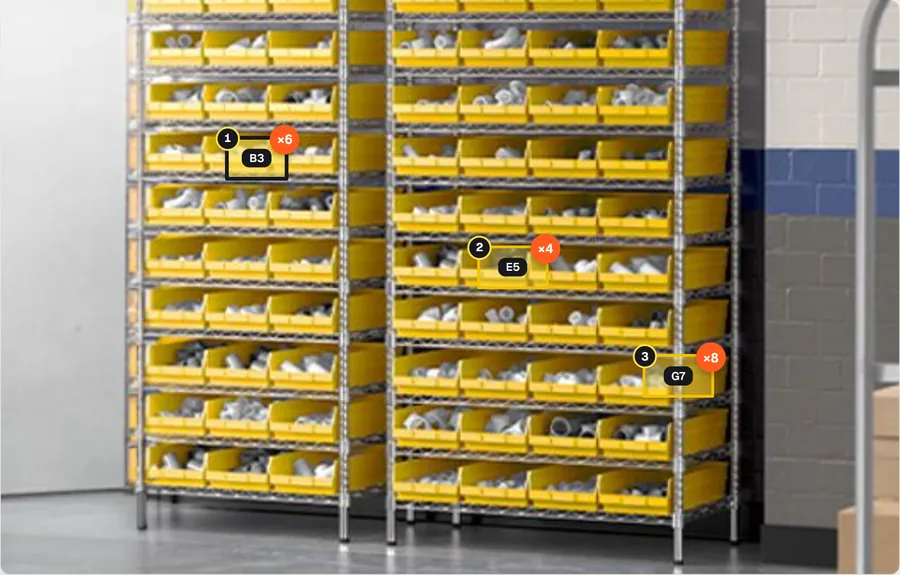
Sixty-three yellow bins of PVC fittings. An Amazon order for elbows, tees and couplings lights up three.
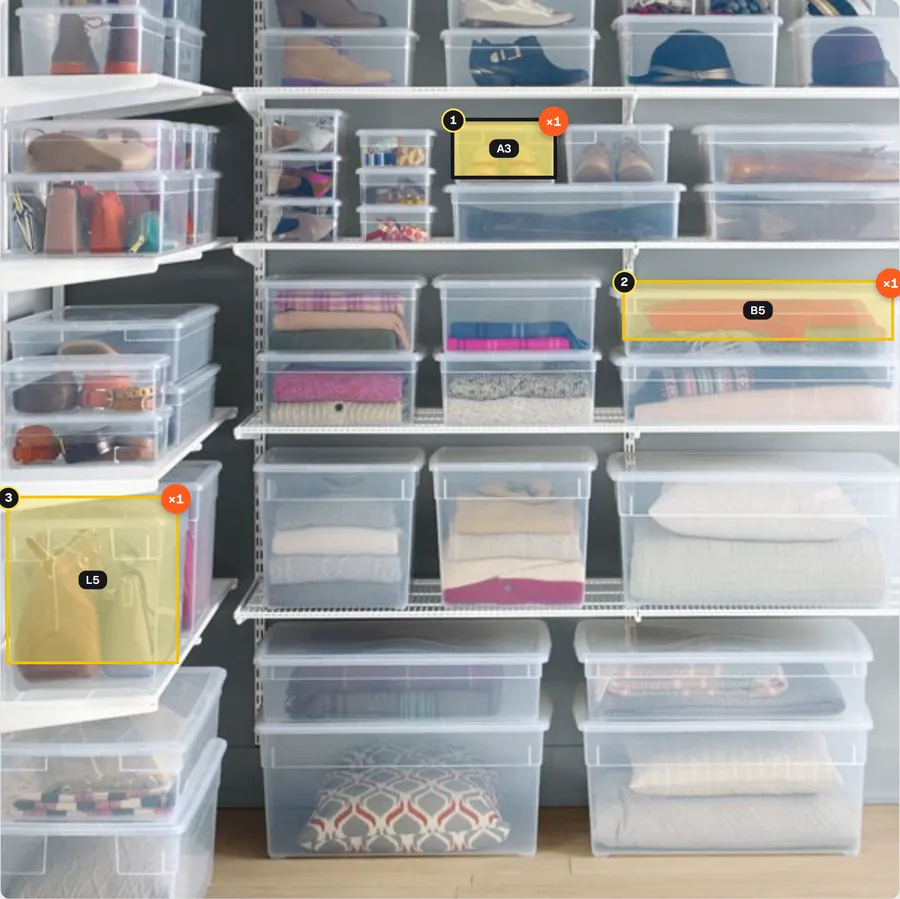
A boutique’s stock in clear boxes of every size. Each box is mapped to its own shape.
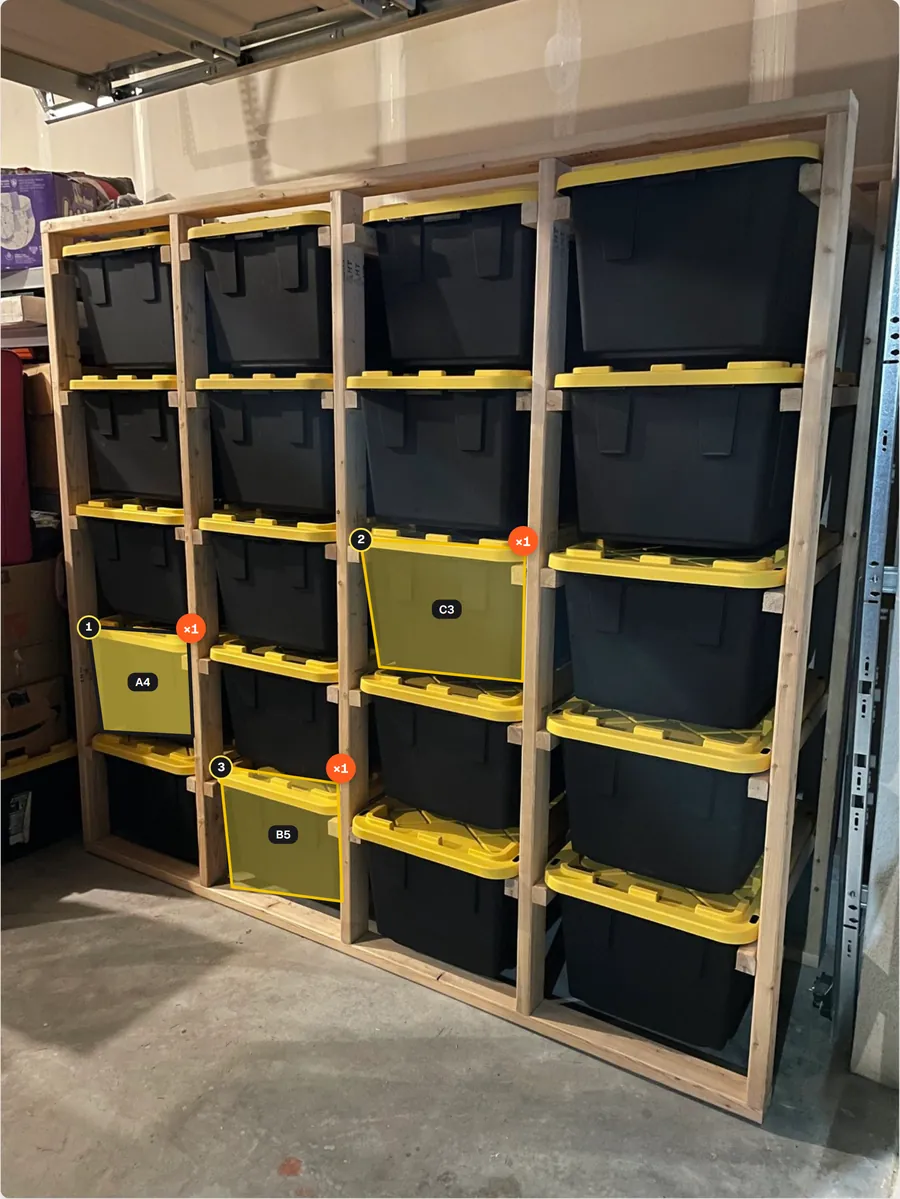
Twenty totes on wooden shelving, photographed at an angle. Each tote is outlined along its own edges.
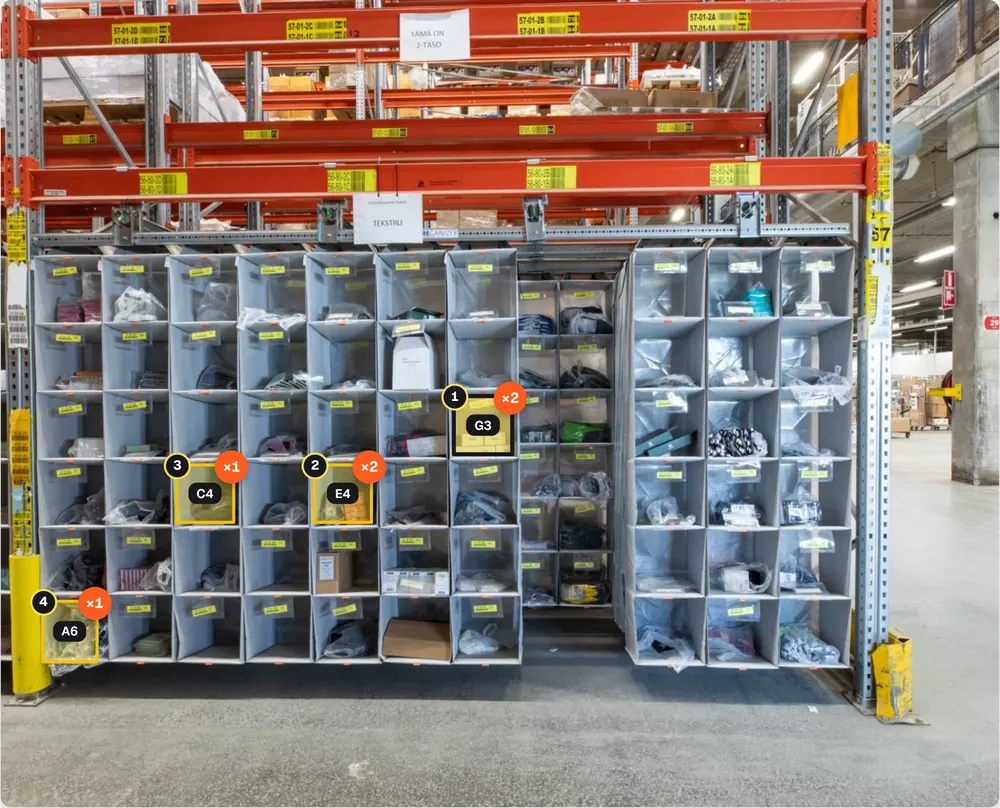
Sixty cubbies in a warehouse aisle. Pickers see the exact cubby, not just the aisle.
One simple plan: the whole app, all 7 store integrations and 100 AI credits a month, with no caps on orders, storage units or team members. Try it free for 3 days, no card needed.
| Option | Price |
|---|---|
| Free trial: all features, 20 AI credits | 3 days, $0 |
| pickBlink subscription, 100 AI credits a month | $9 / month |
| Extra AI credits: 100 | $9 |
| Extra AI credits: 500 | $35 |
pickBlink is a warehouse picking app for small online shops. You photograph your shelves, mark each bin on the photo and say which products are in it. When an order comes in from your store, the bins to pick from light up on the photo, with how many to take from each.
Shopify, WooCommerce, BigCommerce, Etsy, eBay, Amazon and Wix. Shopify, WooCommerce and BigCommerce send new orders instantly; Etsy, eBay, Amazon and Wix orders are fetched every 15 minutes. You can also add orders by hand.
pickBlink is $9 a month after a 3-day free trial, and you don’t need a card to start the trial. The subscription includes the whole app and 100 AI credits a month. Extra AI credits cost $9 for 100 or $35 for 500.
Yes. Every account starts with 3 days free, with all features and 20 AI credits. No card is needed. After the trial you can subscribe for $9 a month; if you don’t, your orders and storage stay safe in read-only mode.
No. pickBlink runs in the browser on any computer, tablet or phone. Pickers can scan barcodes with the phone camera, and USB or Bluetooth barcode scanners work too.
About ten minutes for a first shelf: take a photo, let AI find the bins (or draw them), connect your store and drag your products onto the photo.
Set up your first shelf in about ten minutes. Try pickBlink free for 3 days, no card needed. Then $9 a month, with 100 AI credits included.